 EarlyApply
Be an early applicant on LinkedIn.
See LinkedIn jobs minutes after they’re posted, and get an alert when a new one appears.
No account · No sign-up · No data collected · Also on Microsoft Edge
- VSales AssociateVandelayPromoted
- IBusiness Development RepInitech · just nowNEW
- TAccount ManagerTyrellReposted
- USales ConsultantUmbrellaViewed
- HTerritory ManagerHooliApplied
- ASales ExecutiveAcme Pharma · 2 min agoNEW
- RField Sales OfficerRobert StaffingAgency
- GInside Sales RepGlobex · 3 min agoNEW
- 5 of 8 jobs hidden · Show them
- Job Radar is watching “sales” · next check in 3 min
Demo with made-up jobs.
LinkedIn job alerts and jobs posted in the last hour.
EarlyApply shows you LinkedIn jobs minutes after they're posted, hides the noise, and alerts you the moment a new one appears. You still apply yourself. EarlyApply is a browser extension, not a job board: it works on LinkedIn's own job pages and has no job listings of its own.
See the freshest jobs first.
One click filters your search to jobs posted in the last 15 minutes, 30 minutes or a few hours, newest on top.
- Time filters LinkedIn doesn't offer, right on the page
- Old jobs that sneak in are hidden for you
- Works on LinkedIn's job search, including the new AI-powered search
- ★ Newest jobs: the AI search has no date sort, so one click lists your search newest first
See how to find LinkedIn jobs posted in the last hour →
LinkedIn's new search can't sort by date: see your jobs newest first →
Get an alert within minutes of a new job.
Turn on Job Radar for any search and get back to work. It checks every few minutes and tells you when something new appears.
- Desktop alert and a soft chime, even in other apps
- The toolbar icon shows how many new jobs
- Remembers your search, even after Chrome restarts
Hide everything you'd skip anyway.
Promoted posts, reposts, jobs you already viewed or applied to, staffing agencies, companies you never want to see again, and titles like "Senior" when you're entry-level. Easy Apply jobs: show only them, or hide them.
- One click "Hide company" on any job, and it stays hidden in every search
- Block job titles by word, like "Senior" or "Intern", for good
- "3 hidden · show" lets you peek at what was filtered
Stop typing the same answers again.
"Tell us about yourself." "Do you need visa sponsorship?" "What salary do you expect?" Every Easy Apply form asks the same awkward questions, and writing them out again and again is exhausting. Write each answer once, then copy it in one click, right beside the form.
- Shows the answers that fit each question
- A daily goal and a streak to keep you going
- You stay in control: it never fills or submits forms
Three steps. Under a minute.
- 1
Add it to your browser
Free from the Chrome or Edge store. No account.
- 2
Open LinkedIn Jobs
A small filter bar appears above your search results.
- 3
Pick a time, or click "Alert me"
See only the newest jobs, or let Job Radar tell you when one is posted.
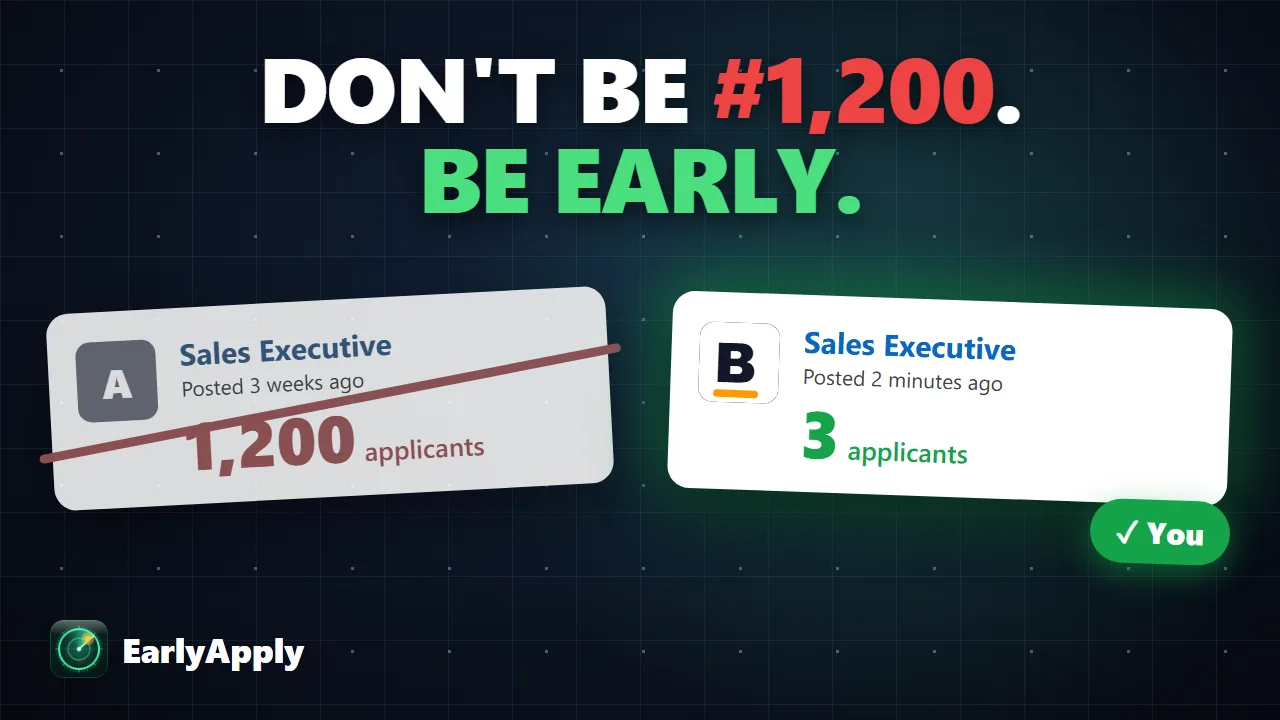
Every job is a race. The first hour decides it.
Recruiters read the first applications first. A day later there are a thousand in front of yours.
A job is posted
Nobody has seen it yet.
0 applicantsJob Radar spots it
A desktop alert, even while you work in another app.
0 applicantsYou apply
Your profile is at the top of the pile.
You’re earlyEveryone else finds it
LinkedIn starts showing it to more people.
200Too late
The recruiter stopped reading long ago.
1,200Example timeline. Real numbers vary by job.
See it in one minute.
From search to alert to applying, start to finish.
Your job search stays yours.
Everything EarlyApply saves stays in your own browser, and it never clicks, fills or applies for you. Read the privacy policy →
LinkedIn job search tricks.
Useful even without EarlyApply.
Good questions.
Still stuck, found a bug, or have an idea? Email us, we read every message.
Is EarlyApply really free?
Yes. Every feature, including Job Radar, is free. No account, no card.
Will LinkedIn block my account?
EarlyApply only filters and sorts what LinkedIn already shows you, and refreshes your own tab like you would. It never applies, clicks or sends messages for you, and it never scrapes LinkedIn in the background.
Does it apply to jobs for me?
No, and that's on purpose. You read the job and apply yourself. EarlyApply just gets you there first.
How fast are the alerts?
Job Radar checks your search every 3 minutes (you can choose up to 1 hour) and alerts you when it finds a new job.
Does it work in Microsoft Edge?
Yes, it's on the Edge Add-ons store too, and works on LinkedIn's job search, including its new AI-powered search.
Does it work on my phone or the LinkedIn app?
No. EarlyApply is a browser extension for Chrome and Edge on a computer. It does not work in the LinkedIn app or in phone browsers.
Does it work on Mac, and do I need to be logged in?
Yes to both. It runs in Chrome or Edge on Windows, Mac and Linux, and it works while you are logged in to LinkedIn.
Be early on the next job you want.
Free. Private. Set up in under a minute.
Add to Chrome, it's free Also on Microsoft Edge